 DeadNuts Digital
5 min read
Google Ads Setup Guide for Contractors: LSA, Keywords and Call Tracking
By Muhammad Furqan · Last updated · Published · Reviewed by Muhammad Furqan
This Google Ads setup guide for contractors shows how to put your trade business at the top of the search today without wasting money. Start with Local Services Ads, target high-intent local keywords, send clicks to a focused landing page and track every call. Here's how to run ads that book jobs instead of burning cash. Prefer to have it set up and managed? See our Google Ads for contractors service.
SEO is a slow build. Google Ads is the opposite: switch it on and you're at the top of the results the same day, above the map pack, in front of customers ready to book. That speed is exactly why ads are so good for contractors who need work this week, and exactly why they punish a sloppy setup. Get the fundamentals right and every dollar chases a job. Get them wrong and you pay for clicks from tire-kickers three cities away.
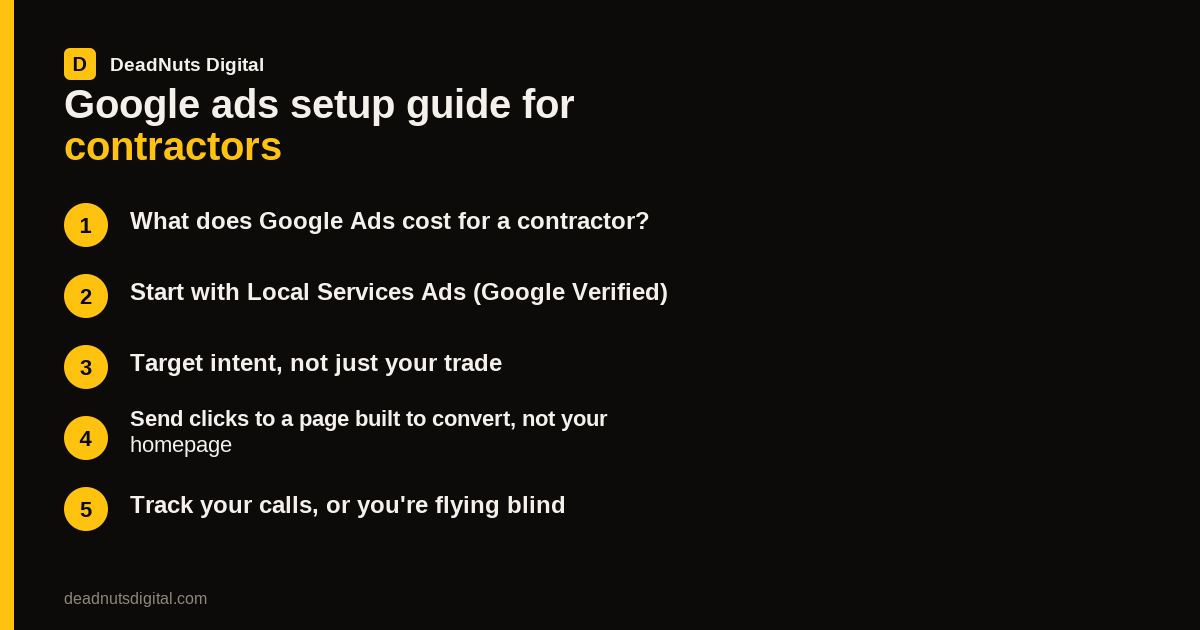
What does Google Ads cost for a contractor?
You set the budget, and it swings hard by trade and city. Local Services Ads charge per lead rather than per click. For a benchmark, SearchLight Digital's February 2026 analysis of 888 contractors on Local Services Ads (a third-party study, not Google's) found an average cost per lead of $53 and $233 per paying customer. The number to watch is cost per won job, not cost per click.
CPC and cost per lead benchmarks
Here are the most useful public numbers for US contractors. Search ads data comes from LocaliQ's benchmark (updated June 2026), which reports home services as one category. Local Services Ads data comes from SearchLight Digital's February 2026 analysis of 888 contractors and breaks out a few trades.
| Benchmark | Cost per click | Lead or booking rate | Cost per lead |
|---|---|---|---|
| Search ads, all industries (LocaliQ) | $5.42 | 8.18% of clicks become leads | $66.69 |
| Search ads, home and home improvement (LocaliQ) | $8.33 | 8.05% of clicks become leads | $90.92 |
| Local Services Ads, electrical (SearchLight) | Pay per lead | 43.4% of leads booked | $39 |
| Local Services Ads, HVAC (SearchLight) | Pay per lead | 44.0% of leads booked | $51 |
| Local Services Ads, plumbing (SearchLight) | Pay per lead | 44.5% of leads booked | $57 |
| Local Services Ads, drain and sewer (SearchLight) | Pay per lead | 39.5% of leads booked | $59 |
Home services clicks cost about one and a half times what the average advertiser pays. That's why a sloppy setup hurts contractors more than most: every wasted click is an $8 click.
Start with Local Services Ads (Google Verified)
For most trades, the best-value ads aren't the classic text ones. They're Local Services Ads: the listings at the very top with the 'Google Verified' badge. They charge you per lead, not per click, and customers can call straight from the ad. If you qualify, this is usually the first place a contractor's ad budget should go. One heads-up: Google is moving Local Services Ads campaigns into Google Ads as a pay-per-lead Performance Max campaign type, so expect the setup screens to change, and export your reporting history before your account migrates.
- You pay per lead (a call or message), not per click, so you're paying for actual inquiries.
- The 'Google Verified' badge (license, insurance and background checks) builds trust for emergency and high-value jobs.
- You can give Google feedback on junk leads, and some invalid leads are credited. Check Google's current rules.
- It sits at the top of the results for local searches, above the classic ads and the map pack.
Related service: We set up and manage Google Ads and Local Services Ads for trades so the budget chases real jobs, not clicks. Google Ads management for contractors
Target intent, not just your trade
The biggest money-waster in contractor ads is bidding on broad terms. 'Plumber' brings in students, job-seekers and browsers. 'Emergency plumber [city]' or 'water heater replacement [city]' brings in people about to book. Tight, high-intent keywords, plus a solid list of negative keywords to block the junk, is the difference between a profitable account and a leaky one.
- Bid on high-intent, local keywords: 'emergency [trade] [city]', '[service] [city]'.
- Add negative keywords ('jobs', 'salary', 'DIY', 'free') to block wasted clicks.
- Tighten your location targeting to the cities you actually service.
- Match your ad copy to the search, and to the job you actually want.
Send clicks to a page built to convert, not your homepage
Paying for a click and then dumping the customer on a slow, generic homepage is how budgets die. The click needs to land on a focused page that matches what they searched: one clear service, a big click-to-call button, reviews for trust, and a short inquiry form. A good landing page can lift the jobs you get from the same ad spend.
- One page per service or campaign, matched to the search.
- Click-to-call button visible immediately on mobile.
- Reviews, guarantees and real photos to earn the call.
- Fast load speed: every second of delay loses inquiries.
Track your calls, or you're flying blind
Most contractor leads come by phone, so if you're not tracking calls, you have no idea which ads actually produce jobs. Call tracking tells you which keywords and ads make the phone ring, so you can pour budget into what works and cut what doesn't. Without it, you're guessing, and guessing with ad money is expensive.
Note: See the full picture on contractor marketing: how ads, SEO and leads fit together. Read Contractor Marketing 101
Google Ads isn't about spending more. It's about making sure every dollar chases a real job in a city you can get to.
Run ads and SEO together, not one instead of the other
Ads and SEO aren't rivals. They cover different timeframes. Ads fill the calendar now while your SEO is still climbing; SEO builds a pipeline of free clicks so you're not paying for every job forever. The smart play is both: ads for immediate work, SEO compounding underneath, so you're never dependent on a quiet month.
Note: Ads bring jobs today; SEO builds the free pipeline. Here's how local SEO works for trades. See our SEO for contractors service Prefer a DIY route? Read how to do SEO for contractors.
Or skip the ad management and buy exclusive leads
Running ads well is a real job (keywords, negatives, landing pages, call tracking, ongoing tuning), and if it's set up wrong it drains cash fast. If you'd rather not manage any of it, you can pay for exclusive, never-shared leads instead and just estimate the work. Unlike shared platforms that sell the same job to several contractors, exclusive leads come to you alone, so you're not undercutting four other guys on price. Not sure which suits you? Compare Angi vs Google Ads.
Note: Don't want to manage ads? Get exclusive, never-shared leads sent straight to your phone instead. Get exclusive contractor leads
Step by step: set up your first contractor Search campaign
This is the order we build a contractor Search account in. Do the steps in sequence; skipping step 1 is how most accounts waste their first month.
Step 1: Set up conversion tracking before you spend a dollar
Track three things as conversions: calls from the ad itself, calls to a tracking number on your landing page, and form submissions. Only count calls over a sensible length so wrong numbers don't look like leads. Without this, Google's bidding is optimizing for clicks, not customers.
Step 2: Get the campaign settings right
- Campaign type: Search. Hold off on Display and standard Performance Max until Search is profitable.
- Networks: uncheck the Display Network and Search Partners to start. Test partners later only if tracking shows they book jobs.
- Locations: the ZIP codes or radius you actually serve, set to "Presence: people in or regularly in your included locations." The broader option also shows ads to people who are merely interested in your area.
- Ad schedule: the hours someone answers the phone. Run emergency campaigns 24/7 only if you take calls 24/7.
- Budget: Google can spend up to twice your average daily budget on a busy day, but no more than 30.4 times it over a month. Set the daily figure from your monthly number divided by 30.4.
Step 3: One ad group per service
Water heater replacement, drain cleaning and sewer repair are different searches with different job values. Give each its own ad group, its own ads and its own landing page. A single "plumbing" ad group mixes $150 jobs with $8,000 ones and makes the numbers useless.
Step 4: Keywords and match types
- Exact match [water heater replacement] shows for searches with the same meaning. Tightest control.
- Phrase match "water heater replacement" shows for searches that include that meaning, like "water heater replacement near me."
- Broad match reaches related searches, and can wander a long way. Leave it until conversion tracking has a steady flow of data and you use a conversion-based bid strategy.
Start with phrase and exact match on service plus intent words: "repair," "replacement," "install," "near me," "emergency," and your city names.
Step 5: Build a shared negative keyword list on day one
| Category | Example negatives |
|---|---|
| Job seekers | jobs, hiring, salary, career, apprentice, apprenticeship, union, resume |
| Training and licensing | school, course, training, class, certification, license exam, test |
| Do it yourself | diy, how to, yourself, tutorial, video, youtube, reddit, manual, diagram |
| Parts shoppers | parts, wholesale, supply, home depot, lowes, amazon, used |
| Wrong job type | commercial or residential (whichever you don't do), plus services you don't offer |
| Out of area | city and county names outside your service area that share keywords with yours |
Apply the list to every campaign, then add to it every week from the search terms report. Careful with "how to" if you sell high-ticket work: some "how to choose" searches are real buyers.
Step 6: Write the ads and add assets
A responsive search ad takes up to 15 headlines and 4 descriptions. Use them: the service, your city, your license, your review rating, "same-day" if it's true, and a clear call to action. Then add a call asset, a location asset linked to your Google Business Profile, sitelinks to your main service pages, and callouts like "Upfront pricing" or "Licensed and insured" only if they're true.
Step 7: Pick a bid strategy that fits your data
New account, no conversion history: start with Maximize clicks with a maximum CPC limit, or manual CPC, so you control cost while tracking collects data. Once conversions are flowing, move to Maximize conversions, then Target CPA. Google says you can start Target CPA with no history, but recommends judging it over the last 30 days with at least 30 conversions. Translation: don't judge a smart bidding switch on a week of data.
Decision thresholds: when to pause, change or scale
These are our working rules, built on the math above. They aren't Google rules, and your numbers can justify different ones.
| Situation | What to do |
|---|---|
| A keyword has spent about twice your target cost per lead with zero leads | Check its search terms. Tighten the match type or pause it. |
| A keyword has had about 25 clicks and no leads | At an 8% click to lead rate you'd expect around 2 leads by now. Review the ad and landing page, then pause if nothing changes. |
| Search terms report shows irrelevant searches | Add them to the shared negative list that week. |
| Conversion tracking is verified and leads come in every week | Test Maximize conversions. |
| Around 30 conversions in the last 30 days | You have enough data to judge Target CPA properly, per Google's own guidance. |
| Cost per booked job is under target and you're losing impression share to budget | Raise the budget in steps and watch cost per lead. |
Illustrative budget math using the home services benchmark: 20 leads a month at about $91 each is roughly $1,820 a month, or $60 a day. If that's more than the jobs are worth, narrow to your highest-value services rather than spreading the money thin.
Common Google Ads mistakes contractors make
- Leaving Display and Search Partners on. Cheap clicks, rarely booked jobs.
- The "interest" location setting. Your ad shows to people in other states who once looked up your city.
- Broad match with no tracking. Google has nothing to learn from, so it spends on anything loosely related.
- Every service in one ad group. You can't tell which jobs make money.
- Running ads when nobody answers. A paid click that hits voicemail is the most expensive lead there is.
- Changing everything at once. One change at a time, so you know what worked.
The no-waste Google Ads checklist
- Set up Local Services Ads (Google Verified) first if your trade qualifies.
- Bid on high-intent local keywords; add a strong negative keyword list.
- Tighten location targeting to the cities you service.
- Send every click to a focused, fast landing page with a call button.
- Turn on call tracking so you know which ads make the phone ring.
Google ads setup guide for contractors: where DeadNuts Digital fits
We run Google Ads and Local Services Ads for home service contractors, set up to chase real jobs, not clicks, with the landing pages and call tracking that make the spend work. And when you'd rather skip the ads entirely, we send exclusive, never-shared leads straight to you. No lock-in. The free audit is where we work out whether ads, SEO, leads, or a mix, will fill your calendar fastest.